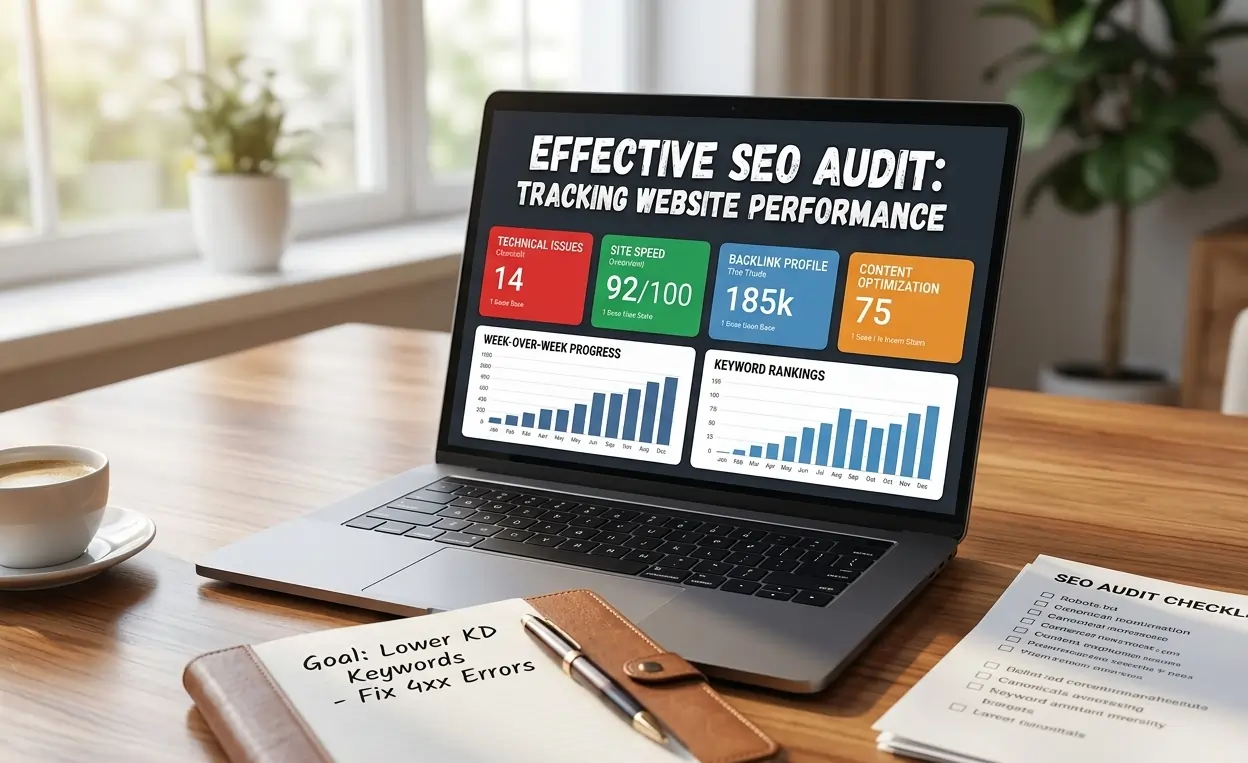


An SEO audit is the process of analyzing your website’s technical setup, on-page content, and backlinks to identify issues affecting search rankings. It helps improve visibility, fix errors, and enhance user experience. By using tools like Google Analytics, Google Search Console, Ahrefs, and Screaming Frog, you can optimize performance and achieve long-term organic growth.
Table of Contents
- What Is an SEO Audit and Why Does Your Website Need One?
- Essential Tools You Need for an SEO Audit
- Keyword Research and Goal Setting
- Analyze Your Current Rankings
- Identify Critical Site Issues
- On-Page SEO Audit
- Technical SEO Audit
- Backlink and Off-Page Audit
- Competitor Analysis
- Create an Actionable SEO Audit Plan
- FAQs About SEO Audits
- Conclusion
What Is an SEO Audit and Why Does Your Website Need One?
An SEO audit is a comprehensive evaluation of your website’s technical setup, on-page content, and backlinks. It helps uncover issues like crawl errors, broken links, slow-loading pages, or duplicate content that may be affecting your search rankings. By performing regular audits, you can improve rankings, optimize user experience, fix errors, and ultimately drive more conversions. Studies show that over 50% of websites have crawl errors that can negatively impact traffic. Beginners can start by understanding the basics of SEO to make audits more effective.
Essential Tools You Need for an SEO Audit
Using the right SEO tools is key to performing an effective audit. These tools help you analyze site structure, content, backlinks, and performance metrics, allowing you to identify issues and opportunities for improvement.
Professional SEO Tools
Tools like Ahrefs, SEMrush, and Moz allow you to conduct keyword research, explore backlinks, and perform site crawls. These tools scan your site in a way similar to search engine bots, helping you uncover missing pages and detect errors efficiently. Using these tools makes auditing faster, more accurate, and actionable.
Google Search Console
Google Search Console helps track indexing status, detect crawl errors, and monitor which search queries bring users to your site. When linked with Google Analytics, it provides deeper insights into user behavior and page performance, making it easier to pinpoint areas needing optimization.
Google Analytics
Google Analytics monitors organic traffic and identifies your top-performing SEO landing pages. It also highlights underperforming pages, enabling you to focus on improving content, site speed, and user experience. Combining this data with GSC insights ensures a comprehensive SEO audit.
Keyword Research and Goal Setting
Keyword research is the foundation of any SEO audit because it determines which terms will drive relevant traffic to your website. Choosing the right keywords ensures your content aligns with user intent and supports your business goals. Begin by analyzing the search behavior of your target audience and selecting terms that reflect your products or services. By using a structured approach, you can also prioritize and fix SEO issues early, improving rankings and reducing wasted effort.
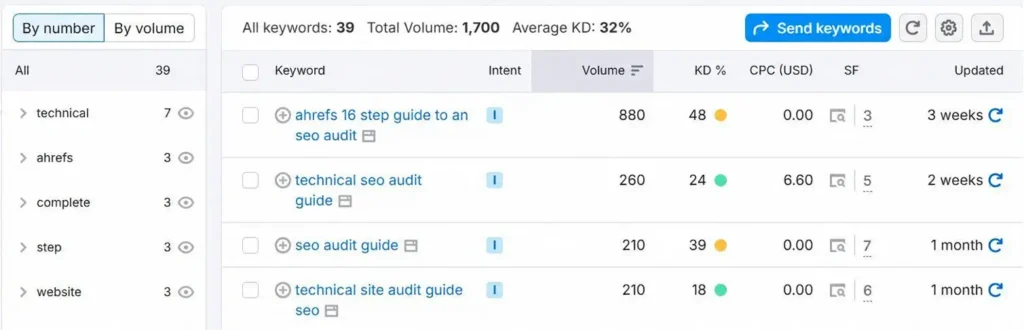
Steps for effective keyword research:
- Identify target keywords that are highly relevant to your business niche.
- Evaluate keyword competition and search volume to prioritize which terms to focus on.
- Incorporate long-tail keywords and funnel-based strategies to capture different stages of the buyer journey.
- Utilize tools like SEMrush Keyword Explorer and Ahrefs Keyword Tool for actionable insights.
Analyze Your Current Rankings
Understanding your current keyword rankings and traffic performance is essential to measuring how well your SEO efforts are working. By analyzing which keywords rank, which pages attract traffic, and where opportunities exist, you can make data-driven decisions to improve search visibility and conversions. Regular analysis also helps you track your keyword performance and adjust strategies to capture more relevant traffic.
Track Existing Keyword Rankings
Monitoring your keywords gives insight into your website’s performance in search results. Key points to track:
- The keywords your website ranks for and their positions in search results.
- Opportunities to target keywords that are just outside the top rankings.
- Performance trends over time to identify areas for improvement.
Analyze Traffic and Landing Pages
Reviewing traffic and landing page performance helps optimize both user experience and conversions. Key actions include:
- Analyze Google Search Console clicks and impressions to see which queries drive users.
- Check Google Analytics landing page reports to identify top-performing pages.
- Assess the conversion potential of pages to prioritize optimization and improvements.
Identify Critical Site Issues
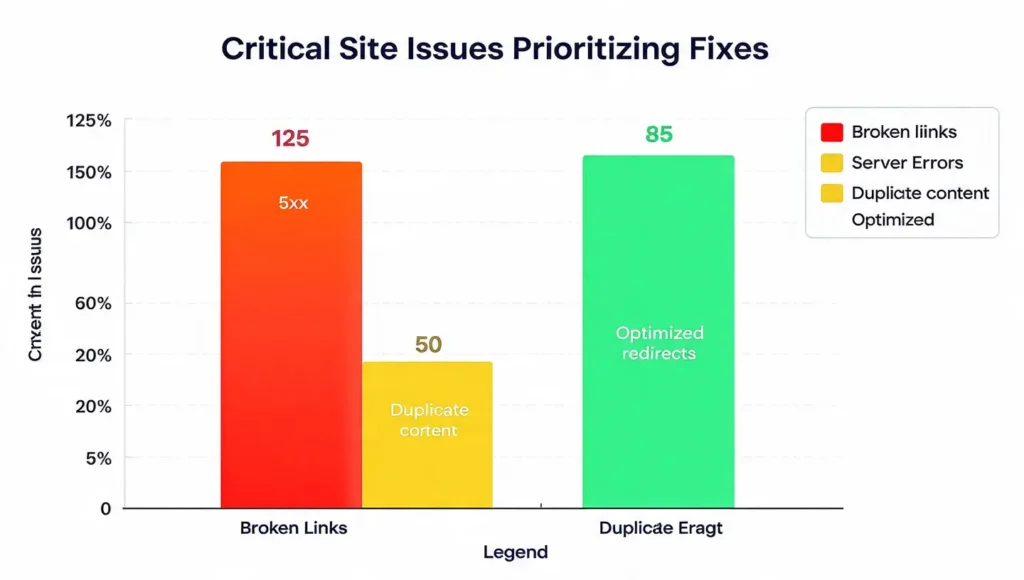
Identifying critical site issues is key to any SEO audit. Problems like crawl errors, broken links, duplicate content, or indexing issues can hurt rankings and traffic. Fixing them early improves user experience, maintains site authority, and supports long-term SEO success.
Crawl Errors and HTTP Status Codes
Crawl errors and HTTP status codes indicate whether search engines can access your pages properly:
- 4xx errors: These occur when pages are missing or links are broken, resulting in “Page Not Found” errors.
- 5xx errors: These indicate server issues, such as downtime, which prevent pages from loading.
- Tips: Use 301 redirects for broken URLs to preserve SEO value and guide both users and search engines to the correct pages.
Broken Links and Internal Linking Problems
Broken links reduce crawl efficiency and harm user experience, making it harder for search engines to index your site properly. Key actions include:
- Identify orphaned pages that have no internal links pointing to them.
- Fix links: Fix broken pages.
- Ensure internal linking uses descriptive anchor text to improve navigation and SEO flow.
Duplicate Content and Canonicalization
Duplicate content can confuse search engines and dilute your ranking authority. To fix this:
- Understand how duplicate content across multiple pages affects search rankings.
- Implement the Canonical tags guide on duplicate or similar pages to consolidate URL authority and signal the preferred page to search engines.
- This ensures that your best pages receive full SEO credit.
Robots.txt and Noindex Tags
Proper use of Robots.txt and Noindex tags ensures only the right pages are indexed:
- Make sure important pages: Make pages indexable, so they appear in search results.
- Use NoIndex tags to prevent low-value or irrelevant pages from being crawled and indexed.
- Regularly review these settings to avoid accidentally hiding important content from search engines.
On-Page SEO Audit
On-page SEO ensures that every webpage is properly optimized to be easily understood and accessed by both search engines and users. This includes evaluating page titles, meta descriptions, heading tags, and content structure. Performing an on-page audit helps improve rankings, user experience, and click-through rates by making your content easier to understand and navigate.
Page Titles and Meta Descriptions
Page titles and meta descriptions are crucial for attracting users from search results. Key points:
- Each page should have a unique and descriptive title optimized with primary keywords.
- Meta descriptions should clearly summarize the content and include relevant keywords.
- Follow character limits: titles 50-60 characters, meta descriptions up to 160 characters.
- Properly optimized titles and meta descriptions improve CTR and search visibility.
Heading Tags (H1, H2, H3)
Proper headings boost readability and SEO:
- Use one H1 per page and include the primary keyword.
- H2 and H3 headings should follow a hierarchical structure for easy navigation.
- Well-structured headings help search engines understand your content and improve ranking potential.
Thin Content and Content Quality
Low-value or thin content can harm your search rankings and reduce user engagement. To improve content quality:
- Identify low-value pages that offer little information or duplicate existing content.
- Enhance content with FAQs, product reviews, how-to guides, or detailed explanations.
- Adding relevant, helpful content increases dwell time, improves rankings, and builds authority.
Structured Data & Schema Markup
Structured data helps search engines understand your content and can improve how your pages appear in SERPs:
- Implement Product, Breadcrumb, and FAQ schemas where relevant.
- Structured data can enhance rich results, such as star ratings, breadcrumbs, and FAQs.
- Proper schema markup improves CTR and helps your pages stand out in search results.
Technical SEO Audit
A technical SEO audit ensures your website is fully optimized for search engines to crawl, index, and rank pages effectively. It checks XML sitemaps, site speed, mobile-friendliness, URL structure, security, and other technical factors. Regular audits help maintain site health, improve rankings, and enhance user experience.
XML Sitemap
XML sitemaps guide search engines to all important pages of your site:
- Include only canonical URLs to avoid duplicate content issues.
- Ensure the sitemap auto-updates whenever new pages are added or removed.
- Submit the sitemap via Google Search Console to help Google crawl your site efficiently.
Site Speed and Performance
“Page speed plays a vital role in search rankings and significantly influences the user experience.”
- Monitor Core Web Vitals: LCP (Largest Contentful Paint), INP (Interaction to Next Paint), CLS (Cumulative Layout Shift).
- Utilize tools such as Google PageSpeed Insights and GTmetrix to detect and analyze website performance issues.
- Optimize your images, scripts, and CSS to speed up page loading.
Mobile-Friendliness
Mobile usability is essential as most users browse via smartphones:
- Check responsive design on all screen sizes.
- Identify mobile usability issues in Search Console and fix touch, font, and layout problems.
- Ensure fast loading on mobile devices for better rankings and user experience.
Navigation, Crawl Depth, and Pagination
Effective navigation improves both user experience and crawl efficiency:
- Key pages should be reachable in 3-4 clicks from the homepage.
- Avoid deep or hidden pages that search engines may miss.
- Follow proper pagination rules for category or blog pages to maintain link equity.
URL Structure & HTTPS Security
Well-structured URLs and secure websites improve SEO and user trust:
- Use short, descriptive URLs with relevant keywords.
- Implement SSL certificates and ensure full HTTPS coverage.
- Handle canonical URLs and redirects properly to preserve SEO authority.
International SEO (Optional)
For multi-country or multi-language sites, international SEO is critical:
- Implement hreflang tags to indicate language or regional targeting.
- Ensure proper indexing of local versions without duplicate content issues.
- Helps search engines show the correct version of your site to users in different regions.
Backlink and Off-Page Audit
An off-page SEO audit focuses on backlinks and your website’s authority across the web. High-quality backlinks can boost your rankings, while toxic or spammy links can harm SEO. Evaluating your link profile regularly helps maintain domain authority and improve organic search performance.
Evaluate Inbound Links
Backlinks are a key factor in search engine ranking. Key steps:
- Analyze the volume and quality of backlinks pointing to your website.
- Detect toxic or spammy links and use disavow tools to protect your site’s SEO health.
- Use tools like Ahrefs, SEMrush, and Moz for comprehensive backlink analysis.
Internal Linking Strategy
A strong internal linking structure distributes authority and improves crawlability:
- Link high-authority pages to important landing pages to boost SEO value.
- Optimize anchor text to be descriptive, relevant, and natural for both users and search engines.
- Regularly audit internal links to remove broken or outdated links and improve user navigation.
Competitor Analysis
Competitor analysis helps you understand how your website compares in search performance and identifies opportunities to outperform rivals. By examining competitor strategies, you can uncover gaps in content, backlinks, and keywords, which can be leveraged to improve your SEO results.
Analyze Competitor Keywords
- Identify which keywords competitors are ranking for and compare them with your own rankings.
- Spot gaps where your website can target unique keyword opportunities.
- Prioritize keywords that have high search intent and low competition for faster gains.
Evaluate Competitor Backlinks
- Check the volume and quality of backlinks competitors are acquiring.
- Identify link-building opportunities for your own website.
- Use tools like Ahrefs, SEMrush, or Moz to assess competitor backlink profiles efficiently.
Content Gap Analysis
- Compare competitor content to find topics or pages your website is missing.
- Develop new content or improve existing pages to fill these gaps.
- Focus on creating content that is more detailed, actionable, and optimized for target keywords.
Create an Actionable SEO Audit Plan
After completing your SEO audit, it’s crucial to create a clear, actionable plan. Prioritizing tasks ensures that the most critical issues are addressed first, while ongoing optimization and monitoring maintain long-term SEO health. A well-structured plan helps your team stay focused and track progress effectively.
Prioritize Critical Fixes
- Address high-impact technical issues like crawl errors, broken links, and page speed first.
- Fix on-page SEO problems, including meta tags, headings, and content quality.
- Tackle off-page issues, such as toxic backlinks or missing internal links, to preserve SEO authority.
Content Optimization and Creation
- Update thin or outdated content to improve value and engagement.
- Create new content targeting unique keyword opportunities and gaps identified during competitor analysis.
- Include FAQs, guides, or product reviews to enhance relevance and user experience.
Continuous Monitoring Using SEO Tools
- Use tools like Google Search Console, Google Analytics, Ahrefs, and SEMrush to track progress.
- Monitor keyword rankings, traffic, backlink health, and technical issues.
- Adjust your SEO strategy regularly based on performance insights to maintain and improve rankings.
Conclusion
SEO audits are essential for maintaining a healthy website and improving search engine performance. They help you identify critical issues, optimize content, and enhance user experience. By addressing technical, on-page, and off-page factors, your site becomes more visible, faster, and easier to navigate.
Implement Fixes and Monitor Progress
- Implement fixes based on audit findings, prioritizing critical issues first.
- Monitor progress using SEO tools to track rankings, traffic, and backlink health.
- Continually refine your SEO strategy to maintain sustainable search rankings and long-term growth.
FAQs About SEO Audits
Here are some common questions about performing an effective SEO audit and their answers to help you optimize your website and improve search rankings.
What is the difference between a technical and content SEO audit?
A technical SEO audit focuses on site structure, crawlability, indexing, page speed, mobile-friendliness, and security. A content SEO audit evaluates page content, keyword usage, headings, meta tags, and engagement. Both audits complement each other and are essential for a comprehensive SEO strategy.
How often should I perform an SEO audit?
It’s recommended to perform a full SEO audit at least twice a year, or more frequently for high-traffic sites. Regular audits help catch issues early, maintain rankings, and adapt to algorithm changes. Continuous monitoring ensures ongoing SEO success.
Can I do an SEO audit without professional tools?
Yes, you can start with free tools like Google Search Console, Google Analytics, and PageSpeed Insights. While professional tools like Ahrefs or SEMrush offer advanced insights, free tools can still help identify critical issues and improve SEO performance.
How long does it take to see results after an SEO audit?
Results vary based on the size of your website, the issues identified, and the changes implemented. Some technical fixes may show improvement in a few weeks, while content optimizations and backlink strategies may take 3-6 months for measurable ranking improvements.
Which common SEO mistakes do websites usually overlook?
Broken links and 404 errors.
Duplicate content and missing canonical tags.
Poorly optimized meta titles and descriptions.
Weak internal linking structure.
Slow page speed and poor mobile experience.