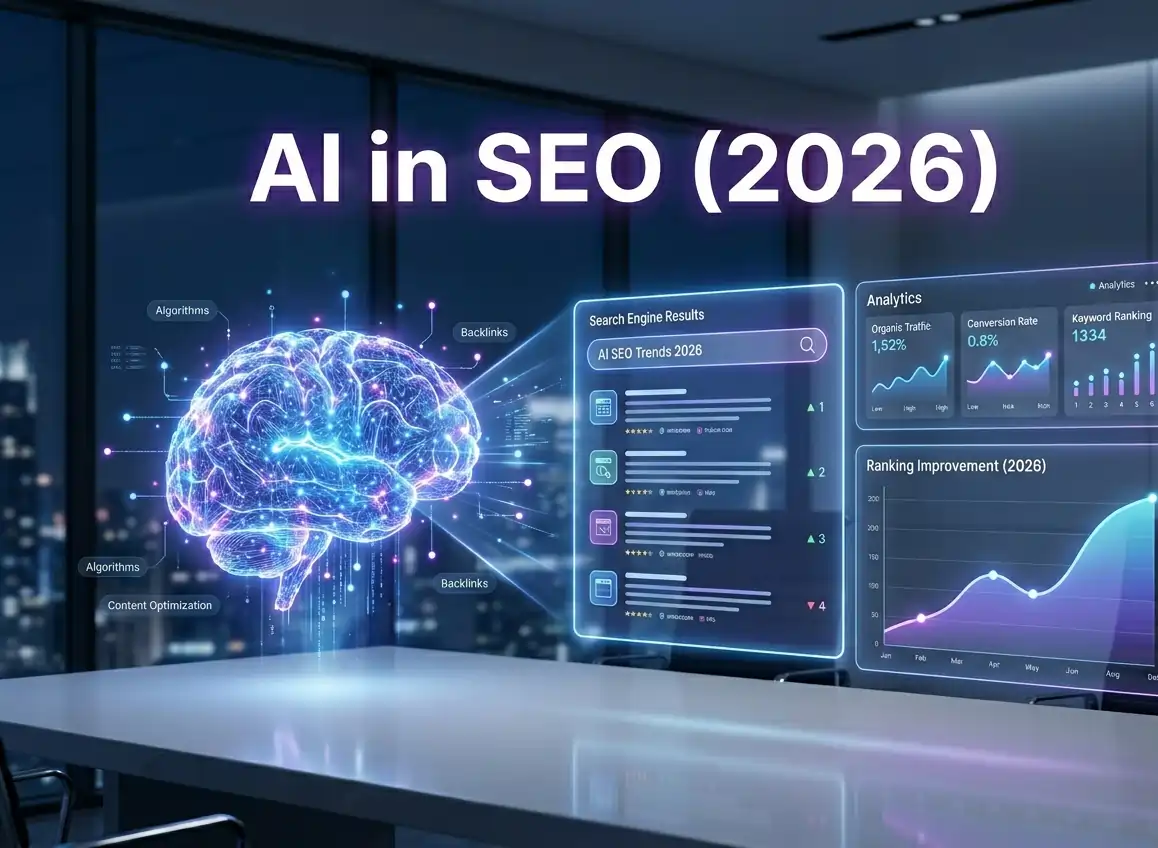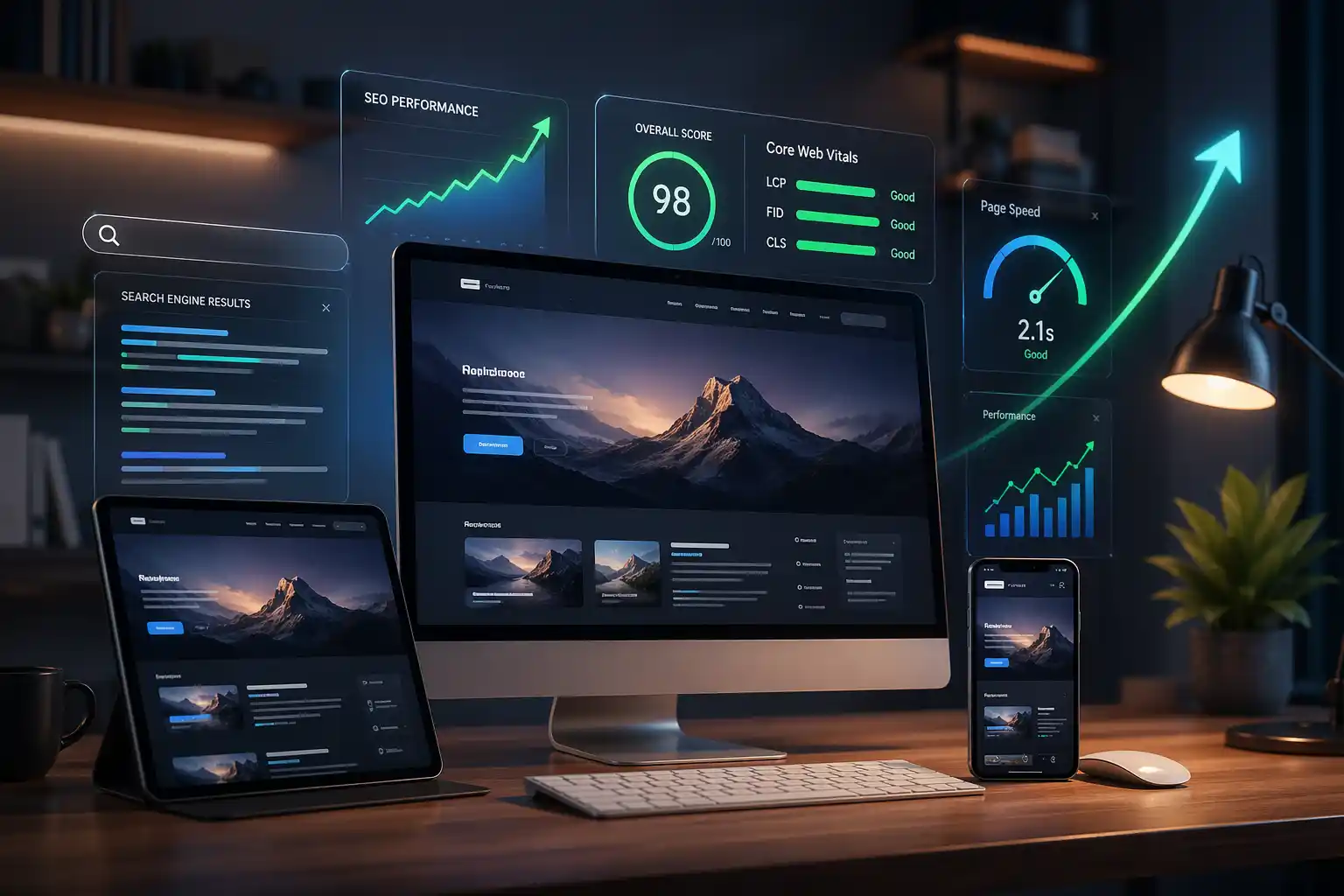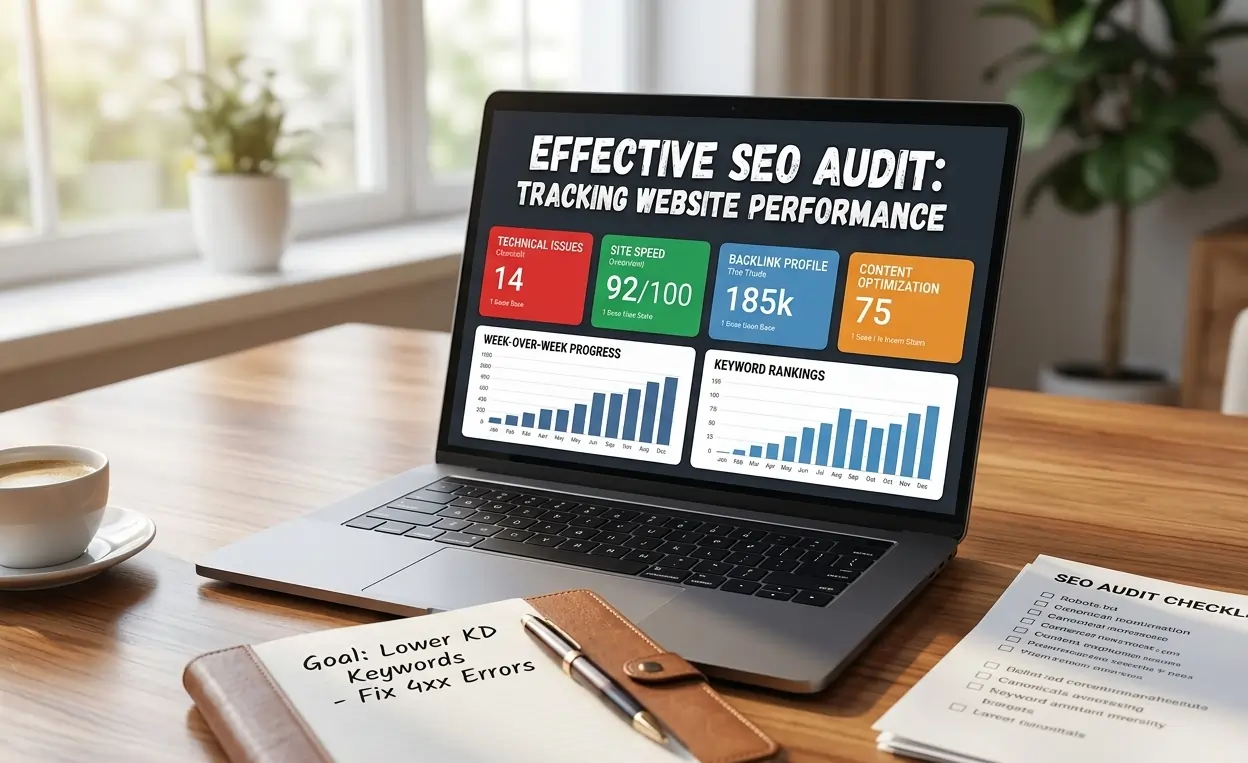

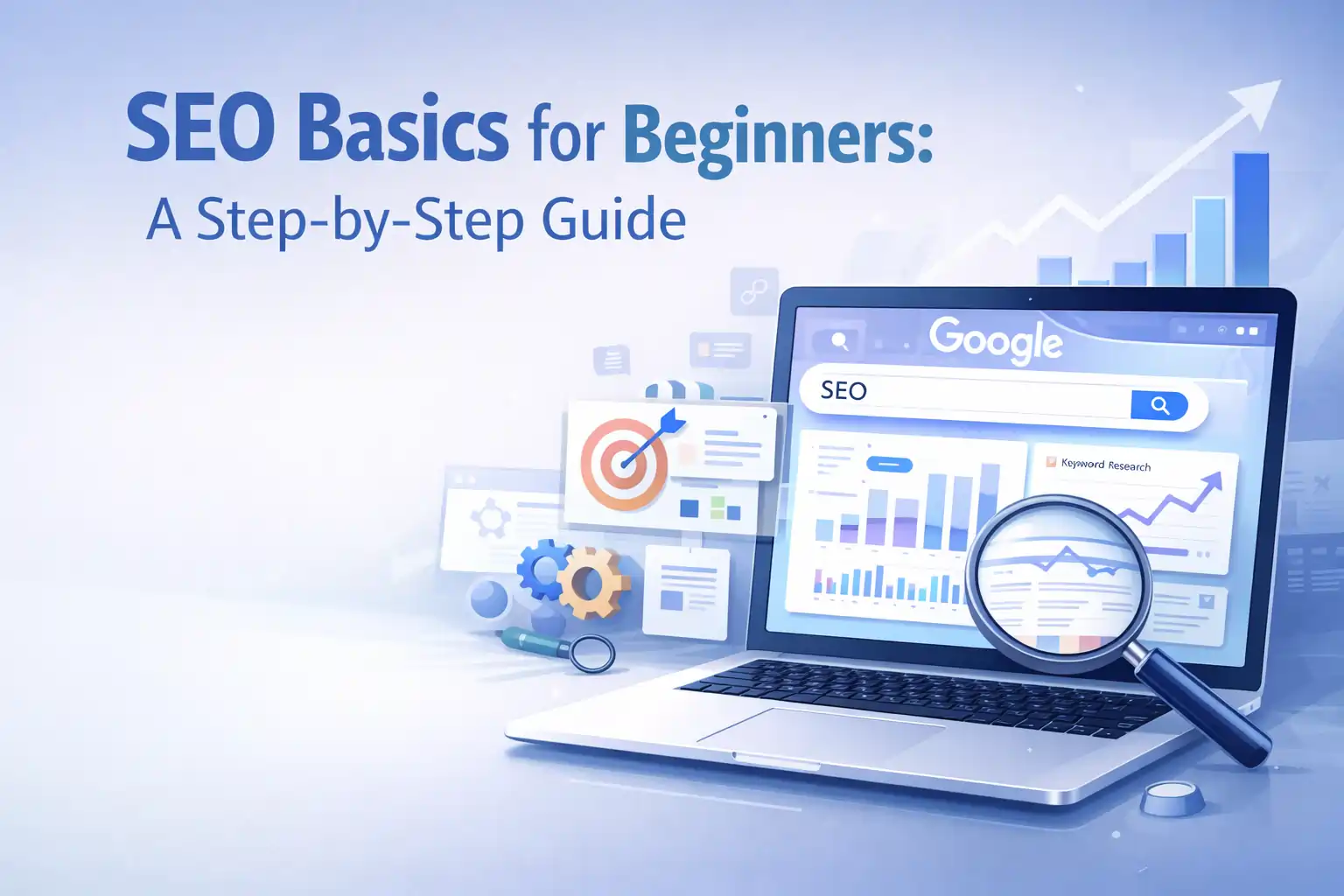
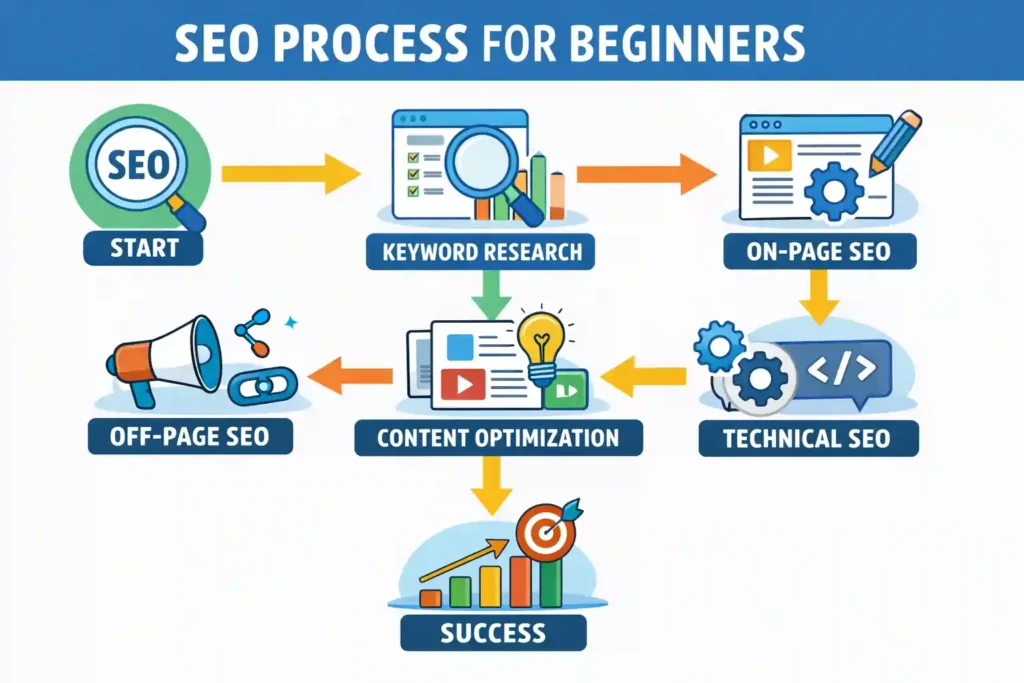
SEO (Search Engine Optimization) is the process of optimizing your website so it appears in Google search results and attracts organic traffic without paid ads. Beginners and businesses use SEO to improve visibility, reach their target audience, and grow online. SEO involves keyword research, on-page SEO, off-page SEO, and technical SEO, which help search engines understand your content and improve your website’s performance and rankings.
Table of Contents
- What is SEO and How Does It Work?
- Why Should You Learn SEO in 2026?
- How Do Search Engines Understand Your Content?
- Step 1: Keyword Research for Beginners
- Step 2: On-Page SEO Basics
- Step 3: Off-Page SEO Essentials
- Step 4: Technical SEO Made Simple
- Step 5: Content Strategy for Beginners
- Step 6: How to Track SEO Performance
- Step 7: Local SEO Basics
- Step 8: Common SEO Mistakes Beginners Make
- Step 9: How Long Does It Take for SEO to Show Outcomes
- Step 10: SEO vs PPC: Which Should You Focus On?
- Frequently Asked Questions
- Conclusion: Master SEO Step by Step
What is SEO and How Does It Work?
SEO enhances your site to boost its position on the Search Engine Results Page (SERP). SEO works by aligning your content with search intent, search engine algorithms, and user experience signals. When done correctly, SEO helps search engines understand your pages, index them properly, and show them to the right audience at the right time.
Core SEO Concepts You Should Understand
Several core pillars support SEO that work together to improve visibility and rankings. Each pillar plays a unique role in how search engines evaluate your website.
On-Page SEO: Focuses on optimizing elements within your website. This includes title tags, meta descriptions, header tags (H1, H2, H3), internal linking, URL structure, and keyword placement. Strong on-page SEO helps search engines clearly understand your content.
Off-Page SEO: Deals with actions taken outside your website to build authority and trust. This mainly includes backlink building, external links, domain authority, and social signals. High-quality backlinks signal credibility and improve rankings.
Technical SEO: Ensures search engines can smoothly crawl and index your website. It covers website crawlability, page speed optimization, mobile-first indexing, XML sitemaps, robots.txt, and HTTPS security. Without technical SEO, even great content may not rank.
Content Optimization: Focuses on creating SEO-friendly content that matches search intent. This includes using long-tail keywords, optimizing readability, avoiding duplicate content, and improving user engagement through clear structure and useful information.
How Do Search Engines Crawl & Rank Websites?
Automated bots from search engines like Google actively crawl the internet to discover your content websites, discover new pages, and store them through indexing. Once indexed, algorithms analyze hundreds of ranking factors to decide where a page should appear on the SERP.
Google’s recent updates, including Helpful Content, Core Updates, and EEAT (Experience, Expertise, Authoritativeness, Trustworthiness), prioritize high-quality, user-first content. Websites that follow ethical SEO strategies, focus on real value, and maintain strong on-page and off-page SEO are more likely to rank consistently.
Why Should You Learn SEO in 2026?
SEO is no longer optional in 2026. Websites, blogs, and businesses rely on Search Engine Optimization (SEO) to stay visible as competition grows. Google’s algorithms now focus heavily on user experience (UX), search intent, and helpful content. If your site isn’t optimized, you lose long-term visibility, traffic, and trust. Learning SEO helps you build sustainable growth instead of depending only on paid ads.
Organic search traffic delivers consistent results without daily ad spend. Unlike PPC, SEO targets users who are actively searching for solutions, which improves conversion rates and reduces bounce rate. While paid ads stop the moment your budget ends, SEO continues to bring traffic over time. That’s why businesses prefer organic growth for blogs, service pages, and local websites.
SEO vs Paid Ads (Quick Comparison):
- SEO builds long-term authority and trust
- Organic traffic costs less over time
- Paid ads give instant results but a short-term impact
- SEO improves rankings, UX, and content quality together
Recent studies show that over Search engines drive 68% of online experiences, while organic results receive the majority of clicks compared to ads. For local businesses, optimizing for local search can drive high-intent traffic ready to convert. This is where learning how to optimize for local search becomes critical for growth and visibility.
How Do Search Engines Understand Your Content?
Search engines don’t read your website like humans. Instead, they analyze signals to determine what your content is about and how it satisfies users. Understanding this process helps you create content that ranks higher on SERPs and attracts organic search traffic.
Key factors search engines evaluate:
- Search intent: Are users looking for information, to buy something, or a specific site?
- Keywords, entities, and semantic relevance: Search engines look for related terms and context to understand meaning.
- Structured data & schema markup: Adding rich snippets helps Google highlight your content in featured results, FAQs, or product listings.
By designing content with these factors in mind, you make it easier for Google and other search engines to understand, index, and rank your pages effectively.
Step 1: Keyword Research for Beginners
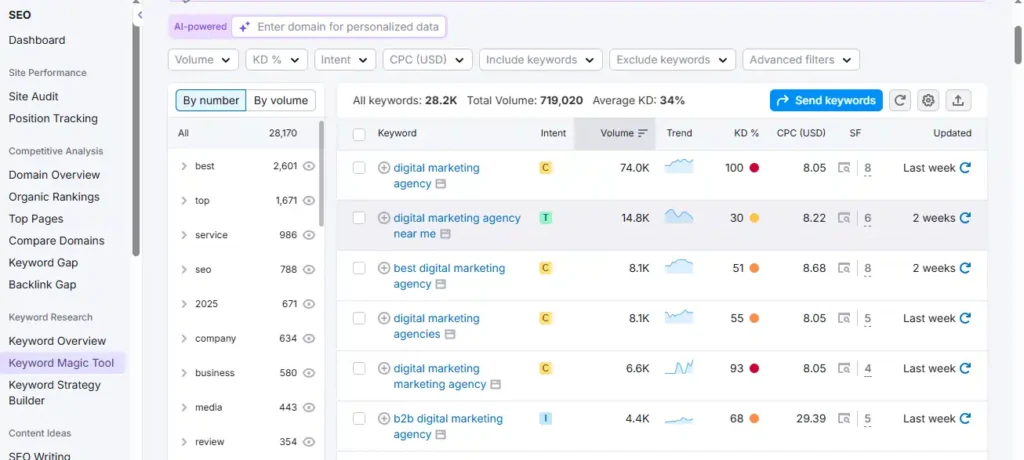
Keyword research is the foundation of SEO. Knowing which words and phrases your audience uses helps you create targeted content that matches user needs and drives traffic.
How to Find the Right Keywords
- Short-tail keywords: Broad phrases like SEO tips (high volume, competitive)
- Long-tail keywords: Specific phrases like SEO basics for beginners guide (lower competition, higher conversion potential)
Tools to discover keywords
- Google Autocomplete: See what users are searching for in real-time
- Ahrefs: Analyze keyword difficulty, volume, and competition
- SEMrush: Explore competitor keywords and search trends
- Google Keyword Planner: Free tool for keyword ideas and search volume
Understanding Keyword Difficulty & Search Volume
- Keyword Difficulty (KD): Indicates competition for ranking. High KD means more effort.
- Search Volume: Measures the frequency with which users enter a specific keyword into search engines. Balance relevance, volume, and difficulty.
Aligning Keywords with Intent
Different keywords serve different purposes. During research, focus on matching keywords to the action users want to take:
- Informational: Looking to learn (how to do SEO for beginners)
- Transactional: Ready to convert (hire SEO services)
- Navigational: Looking for a brand or tool (Ahrefs blog tutorial)
Common Beginner Mistakes
- Targeting high-volume keywords without intent alignment
- Ignoring long-tail keywords
- Overstuffing keywords instead of natural placement
- Failing to analyze competitors
- Underusing SEO tools in your strategy.
Step 2: On-Page SEO Basics
On-page SEO optimizes your website’s components, allowing search engines to interpret and rank your content more effectively. Proper on-page SEO improves user experience (UX), increases organic search traffic, and ensures your pages target the right search intent.
How to Optimize Title Tags & Meta Descriptions
- Keep title tags concise (50-60 characters) and include your main keyword (SEO Basics for Beginners).
- Write meta descriptions (150-160 characters) that summarize the page and encourage clicks.
- Use action words and highlight benefits to attract users.
Example:
Title: SEO Basics for Beginners: Step-by-Step Guide
Meta Description: Learn SEO basics for beginners with this step-by-step guide. Optimize your website, improve rankings, and attract organic traffic.
Header Tags (H1, H2, H3) Best Practices
- Use one H1 per page (usually the main title).
- Break content into sections with H2s and H3s to improve readability.
- Include keywords and related entities naturally in headers.
- Helps search engines and readers quickly understand content hierarchy.
Image SEO: Alt Text and File Names
- Use descriptive alt text with relevant keywords for every image.
- Name image files with keywords, e.g., on-page-seo-tips.jpg.
- Optimizes images for search engines and improves accessibility.
URL Structure and Internal Linking Strategy
- Keep URLs short, readable, and keyword-rich, e.g., /on-page-seo-basics.
- Use internal links to connect relevant pages (services, guides, blog posts).
- Improves crawlability, user navigation, and SEO equity distribution
Content Optimization: Keyword Placement & Density
- Integrate your primary and secondary keywords seamlessly across the entire content.
- Use LSI terms and related entities to improve semantic relevance.
- Avoid keyword stuffing; maintain readability.
- Focus on user intent, scannability, and engagement metrics.
Step 3: Off-Page SEO Essentials
Off-page SEO focuses on actions taken outside your website to improve its authority, credibility, and rankings. Although on-page SEO refines your site, off-page strategies Alert search engines that your material is trustworthy and valuable, helping you rank higher on the SERP.
What is Backlink Building and Why Does it Matter
Other websites create backlinks by linking directly to your content. These links function as votes of confidence and demonstrate your site’s credibility to search engines.
High-quality backlinks:
- Improve domain authority
- Boost organic rankings
- Drive referral traffic
Focus on earning backlinks from relevant, authoritative sites in your niche rather than buying links, which can harm rankings.
Domain Authority & Social Signals
- Domain Authority (DA): A metric predicting how well your website can rank in search engines. Higher DA means better chances to rank.
- Social signals: Shares, mentions, and engagement on platforms like Facebook, LinkedIn, or Twitter indicate content popularity and credibility.
Both DA and social signals influence off-page SEO by signaling trustworthiness to search engines.
External Linking Tips
- Link to authoritative and relevant sources within your content
- Use descriptive anchor text instead of generic words like “click here.”
- Balance your internal and external links effectively to optimize user experience and SEO
Common Link Building Mistakes Beginners Make
- Relying on low-quality or spammy backlinks
- Ignoring relevance when acquiring links
- Using exact-match anchor text excessively
- Prioritizing backlink quantity over backlink quality
- Not tracking or auditing links regularly
By avoiding these mistakes and building a strategic backlink profile, you can strengthen your website’s authority and improve long-term SEO performance.
Step 4: Technical SEO Made Simple
Technical SEO simplifies how search engines navigate your website for search engines to crawl, index, and understand. Even the best content may not rank if technical issues block search engines from accessing your pages. By optimizing technical elements, you improve user experience (UX), page performance, and your site’s overall visibility.
How to Ensure Website Crawlability
- Make sure your pages are accessible to search engine bots
- Use a logical site structure with clear navigation
- Avoid broken links and orphan pages
- Provide your XML sitemap to search engines so they can efficiently discover and index your website.
XML Sitemap and Robots.txt Optimization
- XML Sitemap: Lists all important pages, helping search engines find and index content efficiently
- Robots.txt: Controls which pages search engines can crawl
Properly configured sitemaps and robots.txt files prevent indexing errors and ensure your most important pages rank
Mobile-Friendly & Page Speed Optimization
- Make sure your website works responsively across all devices
- Optimize images, scripts, and CSS for faster load times
- Page speed directly affects user experience and search rankings
- Test speed using tools like Google PageSpeed Insights or GTmetrix
HTTPS, Structured Data, Canonical Tags
- HTTPS Security: Protects user data and is a ranking factor
- Schema Markup: It helps search engines recognize the content type, boosting your chances of earning rich snippets.
- Canonical Tags: Specify which page version is preferred to avoid duplicate content problems.
Implementing proper technical SEO builds a strong foundation for all other SEO efforts and makes your content fully optimized for both users and search engines.
Step 5: Content Strategy for Beginners
Developing a strong content strategy is crucial for achieving SEO success. Creating SEO-friendly content ensures your website attracts organic search traffic, satisfies user intent, and builds authority in your niche. Content should be structured, valuable, and optimized with keywords, entities, and LSI terms to perform well on search engines.
How to Create SEO-Friendly Content
- Focus on user intent: Answer questions or solve problems your audience is searching for
- Include primary and secondary keywords naturally
- Organize your content with short paragraphs, use bullet points, and add headers to enhance readability
- Link to relevant resources using both internal and external links
Topical Clustering and Semantic SEO
- Organize content around main topics and related subtopics
- Link related articles and pages internally to create a topic cluster
- Helps search engines understand your site’s semantic relevance and expertise
Example: A main page on SEO Basics for Beginners can link to subtopics like Keyword Research, On-Page SEO, and Technical SEO to form a cluster.
Blog Optimization Tips & Long-Tail Keywords
- Target long-tail keywords to attract specific, high-intent visitors
- Use descriptive headings with keywords
- Optimize meta tags, images (alt text), and URL structure for SEO
- Refresh old posts with updated information, links, and keywords to improve rankings
Avoiding Duplicate Content & Common SEO Mistakes
- Make sure every page contains unique content and meta tags
- Avoid copying content from other sites
- Monitor for thin content that doesn’t provide value
- Maintain consistent on-page SEO practices to maximize rankings
Step 6: How to Track SEO Performance
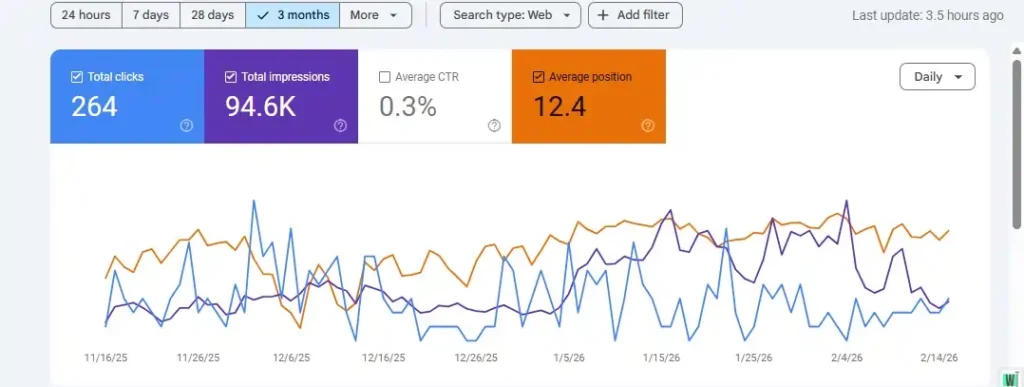
Tracking SEO performance is essential to understanding if your strategies are working and where improvements are needed. Without proper monitoring, even well-optimized content may underperform. Using the right SEO tools and metrics helps you measure organic traffic, user engagement, and keyword performance accurately.
Google Analytics & Search Console Overview
- Google Analytics tracks website visitors, behavior, and conversions. Monitor metrics like sessions, bounce rate, and pages per session to gauge content effectiveness.
- Google Search Console shows how your pages perform in Google search results, including clicks, impressions, average position, and indexing status.
- Together, these tools help identify top-performing pages, opportunities, and technical issues.
Rank Tracking Tools & Metrics to Monitor
- Track keyword rankings with tools like Ahrefs, SEMrush, or Moz
- Monitor SERP positions, traffic growth, and domain authority
- Evaluate backlinks, click-through rate (CTR), and referral sources to optimize future content
How to Interpret User Engagement & Bounce Rate
- User engagement metrics (time on page, scroll depth, interactions) indicate content relevance
- A high bounce rate may signal that the content doesn’t meet user intent or lacks a clear structure
- Combine these insights with keyword performance to refine content and improve rankings
Step 7: Local SEO Basics
Local SEO helps businesses appear in local search results, attracting customers who are nearby and ready to convert. Small businesses must optimize their sites for local search, service providers, and brick-and-mortar stores that want to increase visibility in their city or region.
Ways to Optimize Your Business for Local Search
- Make sure your business name, address, and phone number (NAP) remain consistent across all platforms
- Add your location to title tags, meta descriptions, and headers
- Create content targeting local topics or events to attract community searches
Google Business Profile, Reviews, and Citations
- Claim and completely optimize your Google Business Profile
- Encourage happy customers to post reviews because they build trust and boost your rankings
- Build citations on authoritative local directories to improve credibility and SEO signals
Local Keyword Targeting
- Use geo-specific keywords like “SEO services in Lahore” or “best local SEO company Karachi.”
- Incorporate local terms naturally into headings, content, and meta tags
- Target long-tail local queries to attract highly motivated, nearby customers
Step 8: Common SEO Mistakes Beginners Make
Even with the best intentions, beginners often make SEO mistakes that hurt rankings and user experience. Identifying and fixing these errors early can save time and improve organic search traffic.
1. Keyword Stuffing
- Mistake: Overloading content with keywords unnaturally.
- Quick Fix: Use primary and secondary keywords naturally. Focus on LSI terms and semantic relevance instead of repetition.
2. Ignoring Search Intent
- Mistake: Creating content that doesn’t match what users are searching for.
- Quick Fix: Align your content with informational, transactional, or navigational intent to satisfy visitors and improve engagement.
3. Poor Internal Linking & Long, Unscannable Content
- Mistake: Not linking relevant pages or writing huge walls of text.
- Quick Fix: Use internal links to connect related content and break paragraphs into short, 50-80 word sections with headings and bullets.
4. Ignoring Technical SEO Signals
- Mistake: Overlooking crawlability, page speed, mobile optimization, or HTTPS security.
- Quick Fix: Audit your site regularly and fix technical issues using tools like Google Search Console and PageSpeed Insights.
5. No AEO or Schema Markup
- Mistake: Failing to use structured data to help search engines understand your content.
- Quick Fix: Add schema markup, FAQ blocks, and rich snippets to improve visibility and click-through rates.
By avoiding these common mistakes and following best practices, beginners can boost rankings, improve UX, and maximize the impact of their SEO efforts.
Step 9: How Long Does It Take for SEO to Show Outcomes
SEO requires a long-term strategy, and you won’t see outcomes overnight. The timeline depends on your industry, competition, content quality, and backlink profile. Understanding realistic expectations helps beginners stay patient and focused on strategies that work.
SEO Timeline Examples
- 0 – 3 Months: Initial indexing and crawlability improvements. Expect small traffic increases and insights from tools like Google Analytics and Search Console.
- 3 – 6 Months: Rankings start improving for long-tail keywords. Organic traffic grows steadily, and on-page and off-page optimizations begin to show results.
- 6 – 12 Months: Significant growth in organic search traffic, higher domain authority, and improved SERP positions for competitive keywords.
Factors Affecting SEO Speed
- Competition: Highly competitive industries take longer to rank.
- Content Quality: Well-researched, optimized, and engaging content accelerates results.
- Backlinks: High-quality backlinks improve authority and ranking speed.
- Technical SEO: Crawlability, page speed, and mobile optimization influence how fast your site ranks.
Expectation Management Tips for Beginners
- SEO is gradual; avoid comparing yourself to long-established competitors.
- Track performance consistently using rank tracking tools and analytics.
- Focus on creating high-quality, user-focused content rather than chasing quick wins.
- Combine on-page, off-page, and technical SEO for steady, long-term growth.
By following best practices and tracking progress, beginners can see measurable SEO results within months while building a sustainable foundation for long-term success.
Step 10: SEO vs PPC: Which Should You Focus On?
When evaluating SEO (Search Engine Optimization) versus PPC (Pay-Per-Click advertising), it’s important to understand how each strategy works, its timelines, and how they complement each other. Select the right approach based on your goals, budget, and competition.
Quick Comparison Table
| Factor | SEO | PPC |
| Cost | Low ongoing cost, requires time investment | Pay-per-click can be expensive for competitive keywords |
| Time to Results | Takes months to see significant results | Immediate traffic once ads run |
| Longevity | Long-term benefits, builds authority | Short-term: stops generating traffic when the budget ends |
| User Trust | Builds organic credibility | Ads may be ignored by some users |
| Targeting | Based on search intent, content relevance | Highly specific targeting (location, demographics, behavior) |
When to Invest in SEO vs Paid Ads
- SEO: Best for long-term growth, content-driven websites, blogs, and local businesses. Helps attract organic search traffic and improve domain authority.
- PPC: Ideal for quick results, new product launches, seasonal campaigns, or highly competitive industries. Great for driving immediate leads or sales.
Benefits of Combining Both Strategies
- Boost visibility by covering both organic and paid SERP spots
- Test keywords and ad copy in PPC to inform SEO content strategy
- Achieve short-term traffic gains while building long-term organic authority
- Maximize ROI by balancing paid campaigns with ongoing SEO efforts
By understanding the strengths of both SEO and PPC, you can create a balanced digital marketing strategy that drives immediate traffic while building sustainable growth.
Conclusion: Master SEO Step by Step
SEO is a long-term strategy that can transform your website, blog, or business by driving organic search traffic, improving user experience (UX), and boosting visibility on search engines. By following this step-by-step guide, you’ve learned the foundations of on-page SEO, off-page SEO, technical SEO, keyword research, and content optimization.
Remember to always align your content with user intent, monitor performance using Google Analytics and Search Console, and fix common mistakes like keyword stuffing or ignoring technical SEO signals. Small, consistent improvements can lead to significant long-term results.
FAQs About SEO Basics for Beginners
What is SEO in simple terms?
SEO (Search Engine Optimization) focuses on optimizing your website to achieve higher rankings on search engines like Google. It covers on-page SEO, off-page SEO, technical SEO, keyword research, and content optimization to drive organic search traffic.
How do I start SEO as a beginner?
Start by learning the SEO Basics for Beginners, including:
Conducting keyword research to target the right audience
Optimizing title tags, meta descriptions, and headers
Creating high-quality content aligned with search intent
Building backlinks and improving domain authority
Monitoring performance with Google Analytics and Search Console
Can I do SEO without tools?
Yes, you can perform basic SEO manually, but SEO tools like Google Analytics, Search Console, SEMrush, or Ahrefs make tasks easier and more accurate. Tools help with keyword research, tracking rankings, auditing technical issues, and competitor analysis.
What are the best free SEO tools?
Some free tools for beginners include:
Google Keyword Planner: Keyword ideas and search volume
Google Search Console: Indexing, ranking, and crawl errors
Google Analytics: Traffic, user behavior, and engagement metrics
Ubersuggest: Keyword research and competitor insights
These tools help you optimize your content, track results, and make data-driven decisions without extra costs.
How do I know if my SEO is working?
Monitor organic traffic, keyword rankings, bounce rate, and user engagement metrics using Google Analytics and Search Console. If your pages gain improved SERP positions, increased traffic, and higher conversions, your SEO efforts are working.